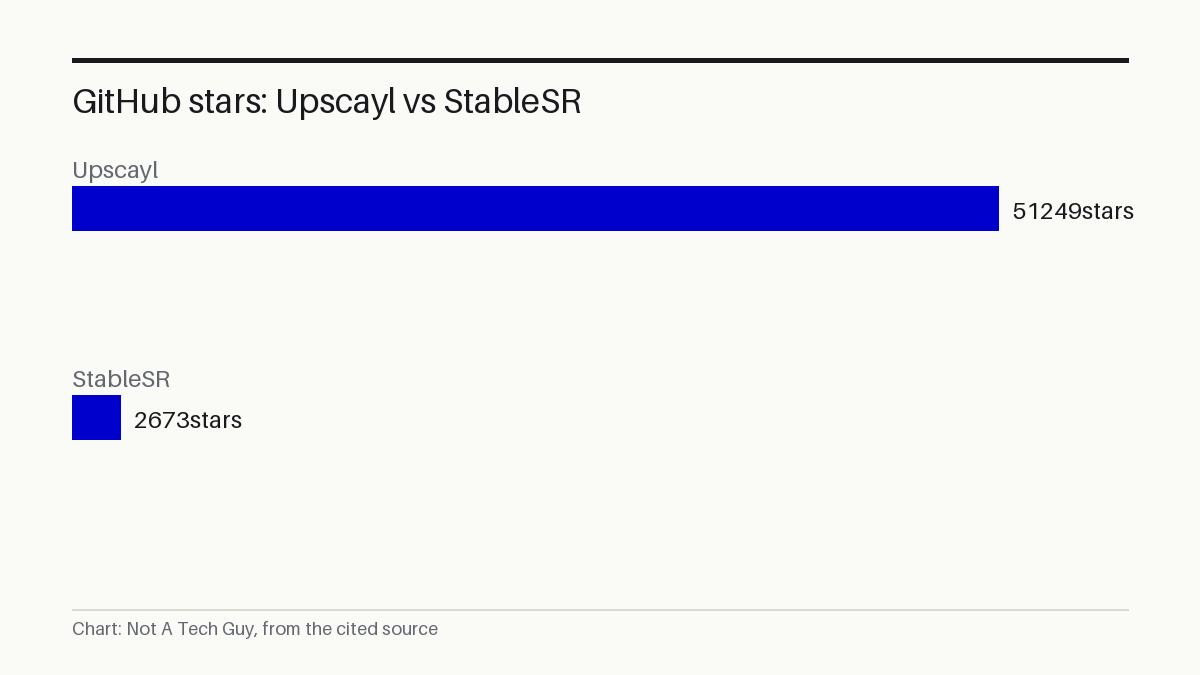

The maintainers of Upscayl, a free AI image upscaler, saw the project appear on GitHub's daily trending list on October 29, 2026, with 51,249 total stars and 61 added that day S¹. They describe it as the leading free and open-source AI image upscaler for Linux, macOS, and Windows S¹ — a label they assigned themselves; no third-party benchmark or review supports that ranking.
My read: Open-source projects like this accumulate stars because they solve a real problem: enlarging old photos and blurry screenshots without a subscription or cloud upload. The "#1" claim lacks any benchmark, and the Vulkan GPU requirement will frustrate anyone on a laptop with integrated graphics. What stands out is the v2.15 "High Fidelity" model the maintainers shipped, which suggests they are still actively improving upscaling quality rather than just maintaining the app.
The project's repository page on GitHub lists its creation date as July 2022 P⁴. It is built in TypeScript and runs as an Electron desktop app on all three major operating systems: macOS 12 and later, Windows 10 and later, and Linux via AppImage, Flatpak, Snap, RPM, DEB, or ZIP S¹. Mac users can install it through Homebrew S¹. The code carries the GNU Affero General Public License v3.0 P⁴, meaning anyone can use and modify it, but derivative services must also publish their source.
No independent benchmark has tested Upscayl's output quality against alternatives like IceClear's StableSR, a diffusion-based super-resolution project with 2,673 stars P³, or against commercial upscalers. The star counts cited here come from GitHub's public repository pages and have not been independently audited.
Vulkan support narrows the app's audience
Upscayl requires a Vulkan-compatible graphics card to run its AI models S¹. The maintainers caution that many integrated GPUs — the kind built into most laptops and budget desktops, do not work, though they note there is "no harm in trying" S¹. Anyone without a discrete GPU from NVIDIA, AMD, or Intel's Arc line may find the app launches but fails to upscale.
The v2.15 release, which the project's GitHub releases page labels the "New Year Update" P², introduced a "High Fidelity" model. The release notes include a fix for an early build where that model was not working, asking users who downloaded it in the first few hours to reinstall P².
Local processing appeals to privacy-conscious users
Upscayl fills a niche for anyone who needs to enlarge images without uploading them to a cloud service. A freelance photographer restoring old client photos or a game modder upscaling textures could run it locally and keep source files private. For a freelance photographer, that means batch-enlarging scanned client prints on their own workstation instead of paying a cloud service per image — though only if their machine has a Vulkan-compatible GPU. The practical first step before installing: check whether your machine has a Vulkan-compatible GPU. On Windows, the Vulkan Caps Viewer tool confirms support. On Linux, the vulkaninfo terminal command does the same.
Upscayl's 51,000 stars, accumulated over four years since its July 2022 creation P⁴, place it among the more popular open-source desktop tools on GitHub, though its GPU requirement narrows the audience compared to a pure software tool.
The project's releases page shows v2.15 as the current version, with no date set for what comes next.
Sources: S1 — upscayl/upscayl: 🆙 Upscayl - #1 Free and Open Source AI Image Upscaler · P2 — Releases · upscayl/upscayl · GitHub · P3 — IceClear/StableSR · P4 — upscayl/upscayl · P5 — Trending repositories on GitHub today · GitHub
Written from 5 sourced items, 4 of them primary.