

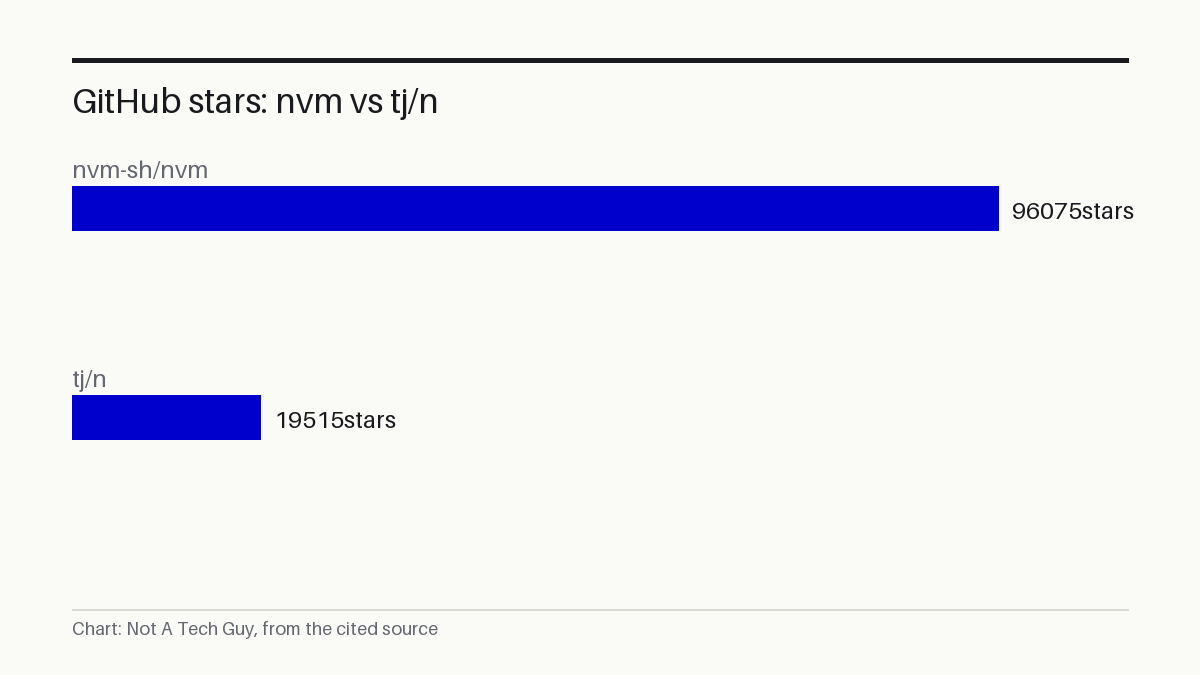
GitHub featured nvm-sh/nvm on its daily trending list on 13 November, where the 16-year-old bash script gathered 63 new stars in a single day to reach 96,075 total S¹. The repository was first created in April 2010 P², which makes it older than Instagram, older than Kubernetes, and older than the Node.js LTS naming convention itself.
Most tools that hit GitHub trending are weeks or months old. nvm has been letting developers install and switch between multiple Node.js versions on the same machine since Node itself was at version 0.x.
My read: The star count is a social signal, not a usage metric, and 63 stars in a day is modest by trending-list standards. What stands out is that a POSIX-compliant shell script from 2010 remains a go-to answer for Node version management in 2026 — though its "default" status is not independently verified. The competitor tj/n sits at 19,515 stars P³ (a point-in-time snapshot, not independently confirmed), roughly one-fifth of nvm's count. The README's example commands reference versions v24.14.0, v22.22.1 and v20.20.1 S¹, though those are illustrative and may not reflect current releases.
Per-shell isolation lets each terminal run its own Node version
The project's maintainers call nvm a POSIX-compliant bash script that lets users run several Node.js versions side by side S¹. Installation is per-user and execution is per-shell, so each terminal window can run a distinct Node version without affecting system-wide packages S¹. A developer types nvm install 24 to pull down Node v24.14.0, then nvm use 22 to switch to v22.22.1 in the same window S¹. The script works across sh, dash, ksh, zsh and bash S¹, and supports unix, macOS and Windows WSL S¹.
WSL support arrived in the v0.39.0 release in October 2021, when maintainer ljharb added experimental compatibility for WSL, MSYS and Cygwin environments P⁴. The current install script referenced in the README is version v0.41.0 S¹, though that may already be superseded — no independent check of the latest release tag was performed. The installer clones the nvm repository to ~/.nvm by default, or to $XDG_CONFIG_HOME if that environment variable is set S¹. The project carries an MIT licence P² and reports 376 open issues against 10,763 forks P², figures captured at a single point in time and not independently verified.
Node's lack of built-in version management keeps nvm relevant
nvm fills a gap that Node.js itself never closed.
Node ships as a single runtime, but production projects lock to specific versions, and a developer working across three repositories might need three different Node builds on the same laptop. Without a version manager, switching means uninstalling and reinstalling Node each time.
The alternative is tj/n, a simpler Makefile-and-shell tool with 19,515 stars P³ and only 5 open issues. It does the same core job with fewer features and less shell-fragmentation overhead. nvm's edge is its POSIX compliance and its per-shell isolation, which lets a CI pipeline and a local dev session run different Node versions simultaneously on the same machine.
Neither tool has been independently audited or reviewed by a third party, according to the evidence available. The star counts reflect GitHub bookmarks, not enterprise certifications or security assessments.
For a platform engineer running CI pipelines for multiple services, nvm's per-shell isolation means each pipeline can invoke its own Node version without conflicting with another job on the same runner S¹. On that engineer's desk, the change is concrete: instead of maintaining a single global Node install and hoping all services are compatible, each nvm use command in a pipeline script pins the exact version that service was tested against. If the shell is non-standard, testing it with nvm use before rolling it across the team is the practical next step.
The next checkpoint is the nvm releases page, where v0.41.0 is the latest version referenced in the README as of 13 November S¹.
Sources: S1 — nvm-sh/nvm: Node Version Manager - POSIX-compliant bash script to mana · P2 — nvm-sh/nvm · P3 — tj/n · P4 — v0.39.0 · P5 — microsoft/WSL
Written from 5 sourced items, 4 of them primary.